Importing to Power Studio Designer
Power Studio Designer supports importing compatible EE-Sim design files.
Import Steps
- Open Power Studio Designer
- Sign in with your ADI myAnalog account
- Navigate to File > Import
- Select your exported EE-Sim design file
- Review and confirm the imported components
What Gets Imported
| Element | Imported? | Notes |
|---|---|---|
| Circuit topology | Yes | Schematic structure preserved |
| Component values | Yes | Resistor, capacitor, inductor values |
| IC selection | Yes | If part is supported in Power Studio Designer |
| Simulation results | No | Re-run analysis in Power Studio Designer |
| Custom annotations | No | Add notes manually after import |
After Import
Once your design is imported, you'll see it in the Design Canvas:
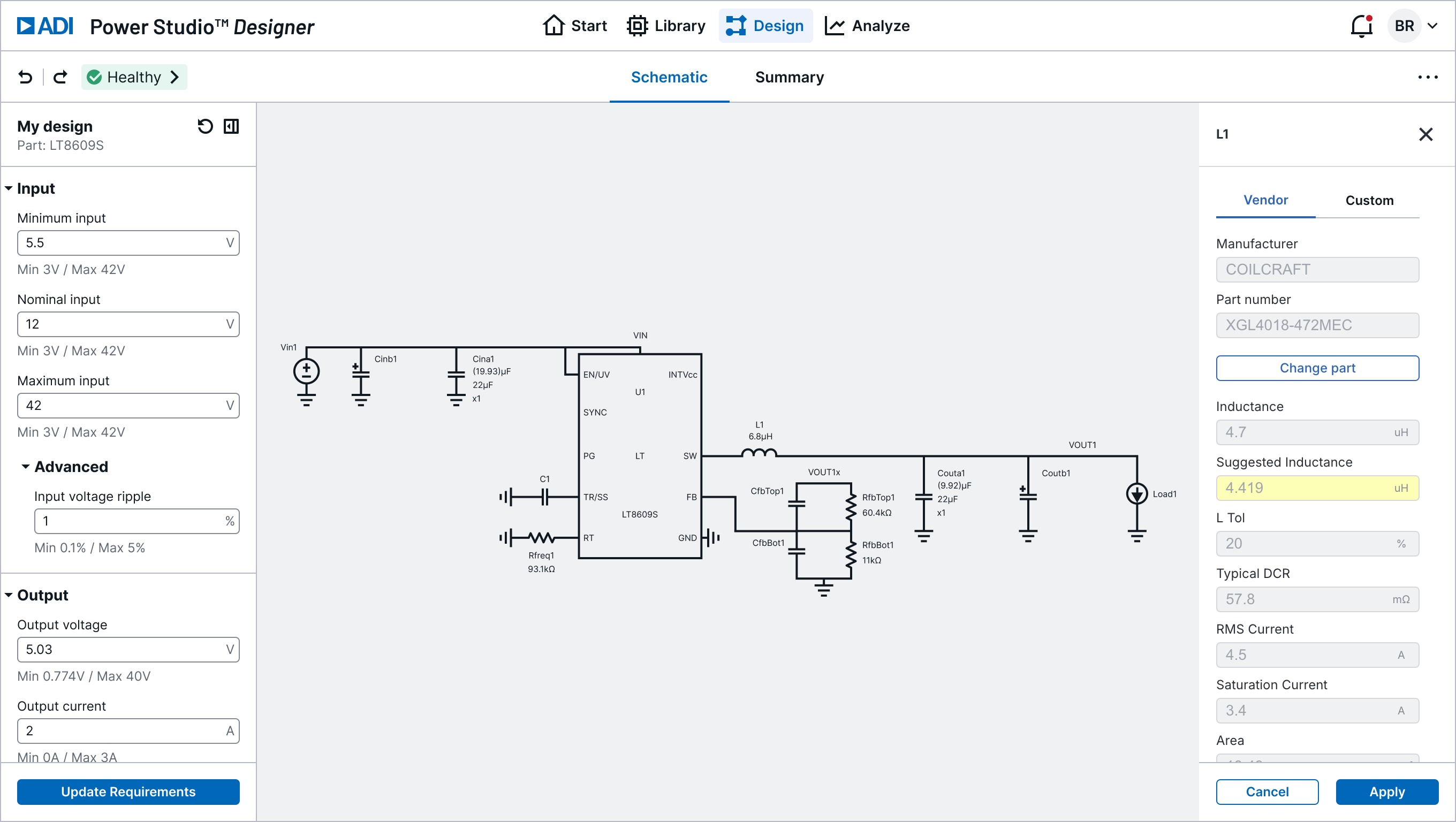
From here you can:
- Review the schematic in the Design Canvas
- Run Efficiency Analysis to validate performance
- Run Loop & Load Analysis to check stability
- Export to LTspice or SIMPLIS for time-domain simulation
Part Not Supported?
If your EE-Sim design uses a part not yet available in Power Studio Designer, contact power.studio@analog.com with the part number. Coverage is expanding regularly.