EE-Sim Migration Guide
EE-Sim has been retired
All EE-Sim URLs now redirect to the EE-Sim sunset page on analog.com. Use this guide to migrate your designs to Power Studio Designer.
EE-Sim has been replaced by Power Studio Designer, a modern power supply design and simulation tool. Power Studio Designer provides all of the capabilities of EE-Sim and more, including an improved simulation engine, expanded part coverage, and a redesigned user interface.
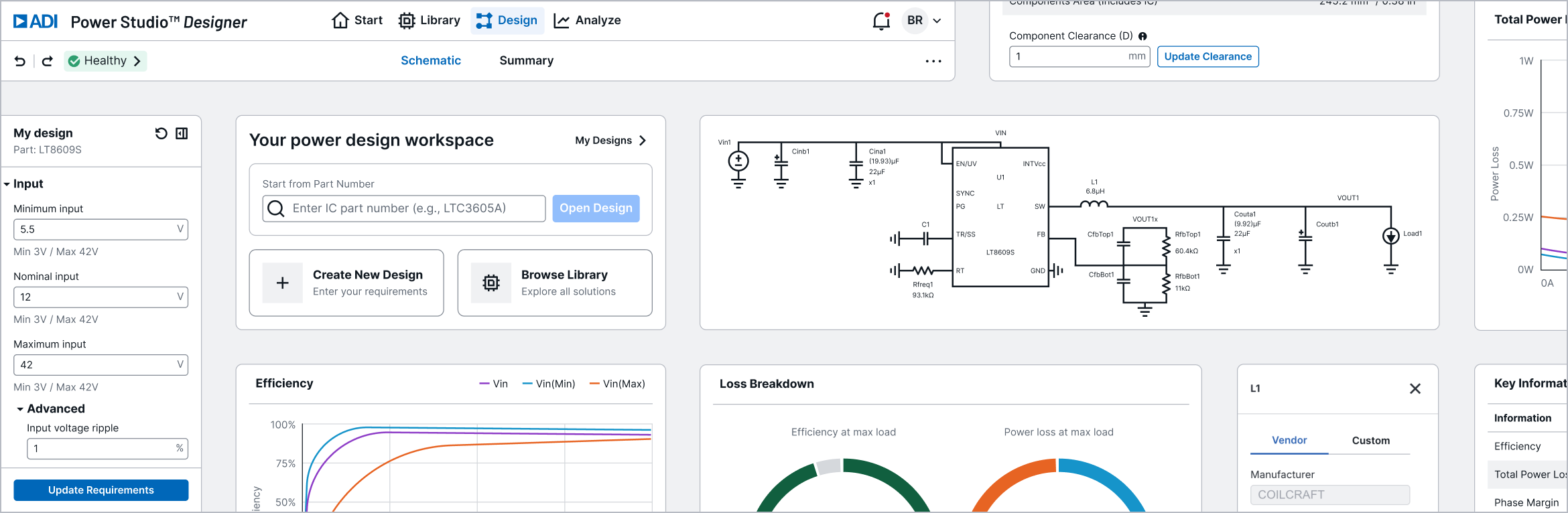
This guide walks you through the process of moving your existing EE-Sim designs to Power Studio Designer.
What is Power Studio Designer?
Power Studio Designer is a free, web-based tool for IC-level power supply design. It guides engineers from device selection through component optimization to performance validation — without installing software.
| Capability | Description |
|---|---|
| Solution Search | Filter ADI's power IC portfolio by Vin, Vout, load current, and topology |
| Interactive Schematic | Visualize and configure circuit designs with real-time feedback |
| Component Selection | Browse vendor-specific inductors, capacitors, and FETs |
| Efficiency Analysis | Evaluate power losses across the full circuit |
| Loop & Load Analysis | Validate stability with loop gain and phase margin |
| BOM Export | Generate a complete Bill of Materials |
| Simulation Export | Export to LTspice or SIMPLIS for offline analysis |
Quick Start
- Open Power Studio Designer
- Sign in with a free ADI myAnalog account
- Search for a solution by entering your input voltage, output voltage, and load current
- Select a recommended solution to open in the design editor
- Configure components, analyze performance, and export results
Next Steps
- Sunset Timeline — key dates and milestones
- Feature Mapping — EE-Sim features mapped to Power Studio Designer
- Exporting Designs — how to retrieve your EE-Sim designs
- Importing to Power Studio — how to import into Power Studio Designer