Feature Mapping
The following table maps EE-Sim features to their Power Studio Designer equivalents.
Feature Comparison
| EE-Sim Feature | Power Studio Designer Equivalent | Notes |
|---|---|---|
| Schematic Editor | Design Canvas | Improved component placement and wiring |
| Simulation | Simulation Engine | Faster, more accurate SPICE-based simulation |
| BOM Export | BOM & Reports | Enhanced export formats |
| Part Selector | Solution Explorer | Expanded part coverage with smart recommendations |
| Waveform Viewer | Efficiency & Loop Analysis | Integrated analysis with per-component breakdown |
| Design Save/Load | Cloud Projects | Automatic cloud save with ADI account |
Key Improvements in Power Studio Designer
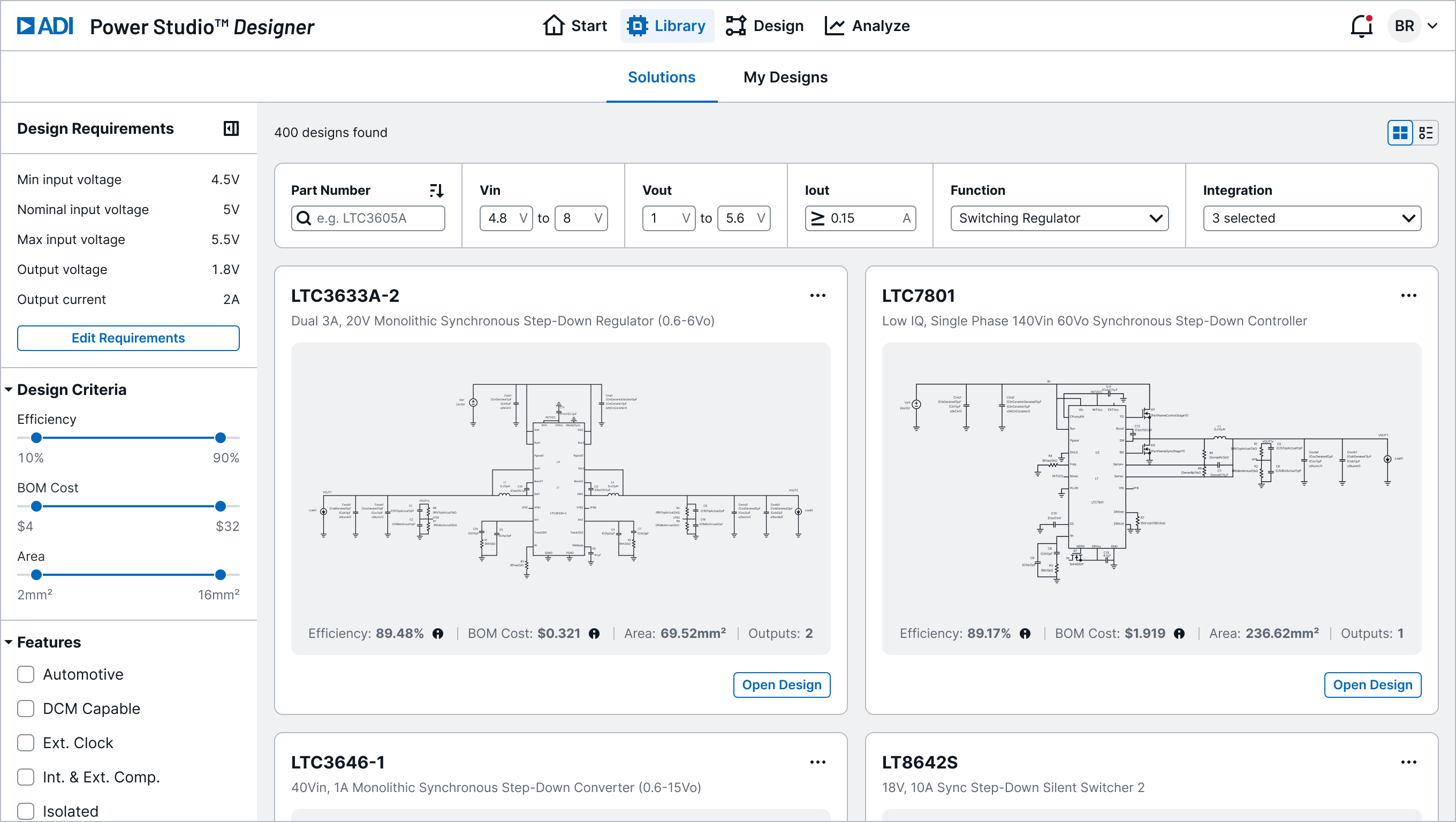
Guided Solution Explorer
Browse and filter ADI's unified power supply IC portfolio with guided workflows. Match requirements to recommended solutions with ready-to-use reference designs.
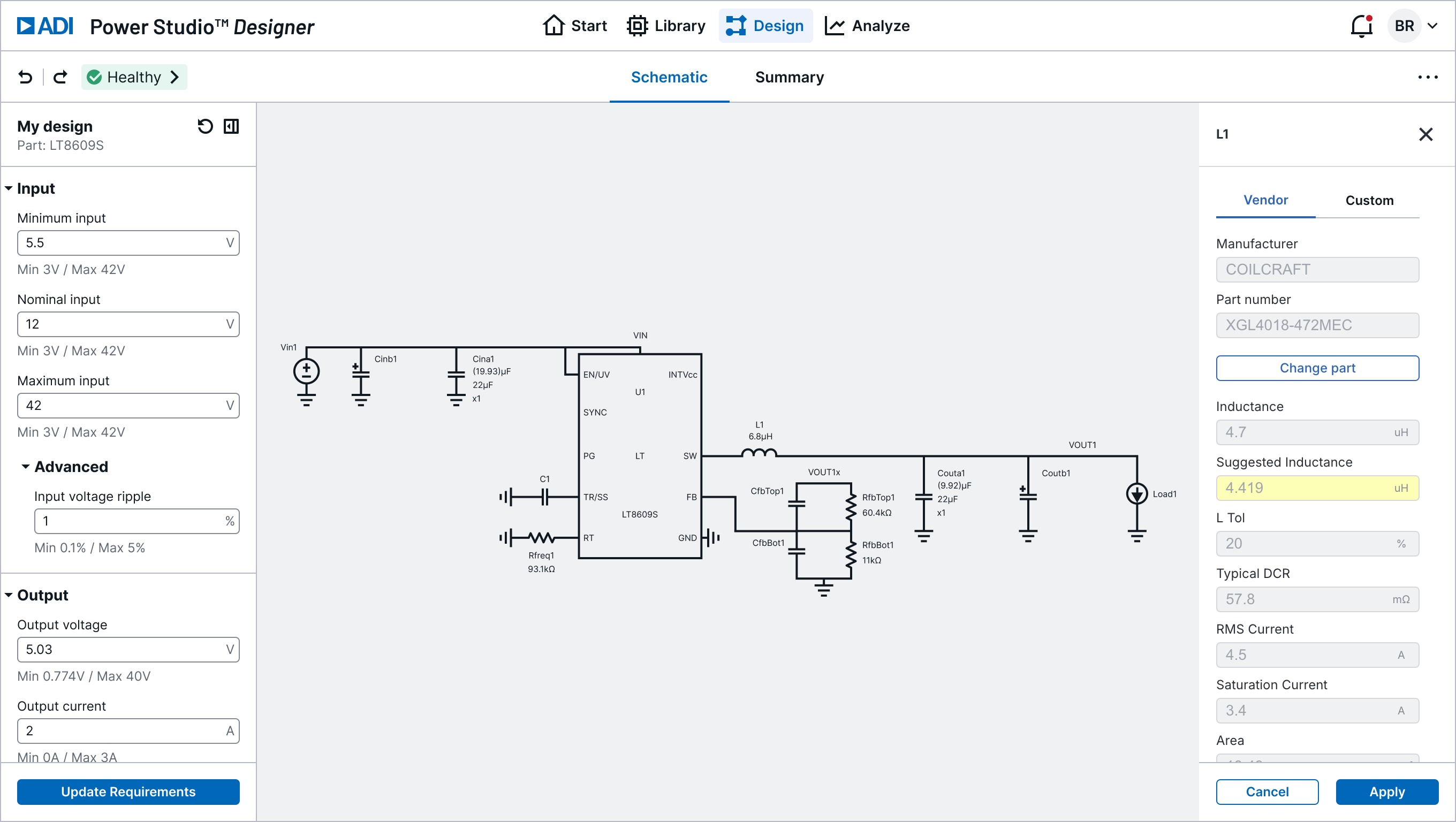
Interactive Schematic
Edit and customize circuit schematics in real time. Parameters, components, and vendor parts update instantly, making design exploration highly visual and interactive.
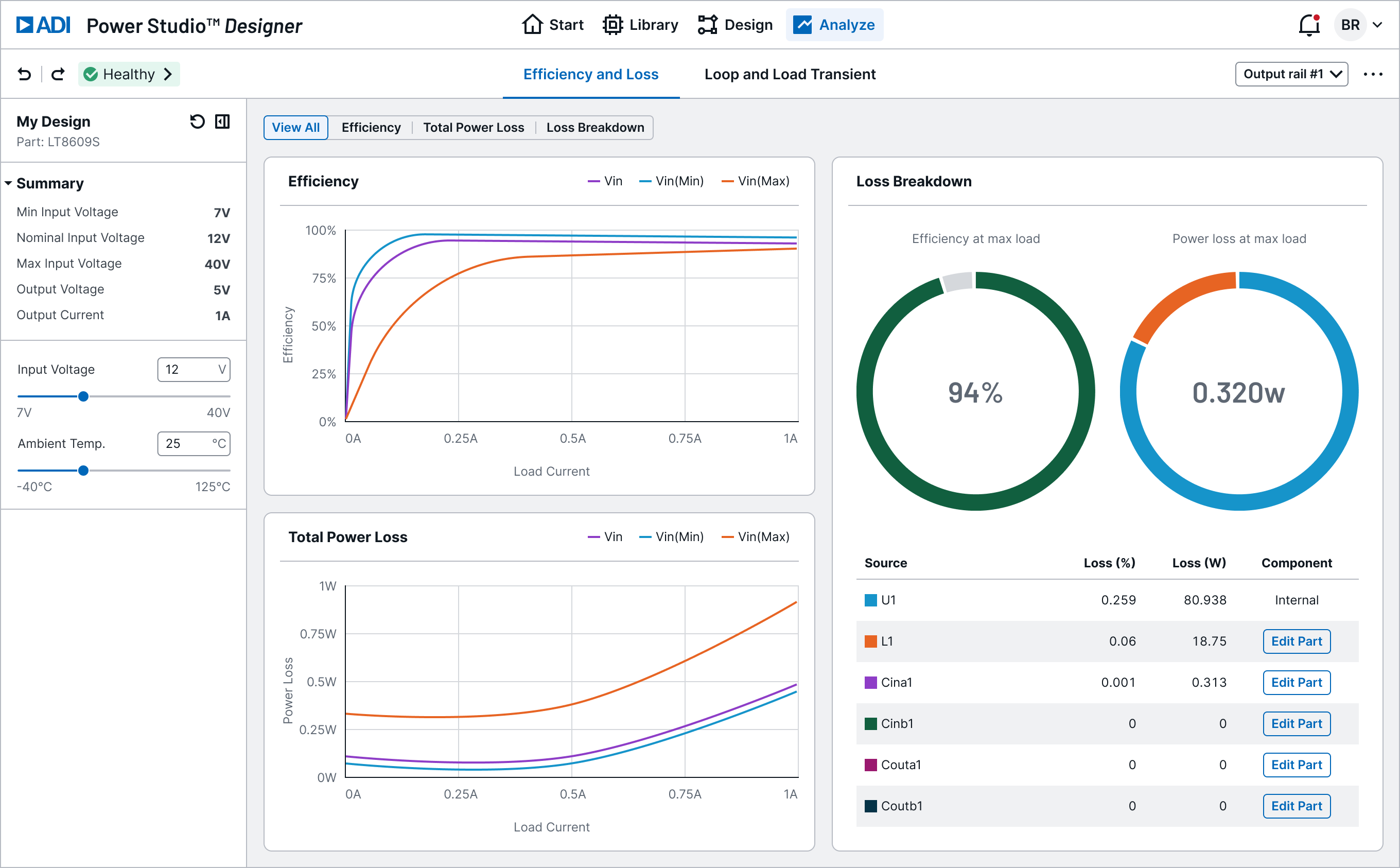
Efficiency Analysis
View efficiency, power loss, and loss breakdown at a glance. Charts and visualizations give immediate insight into design trade-offs across operating points.
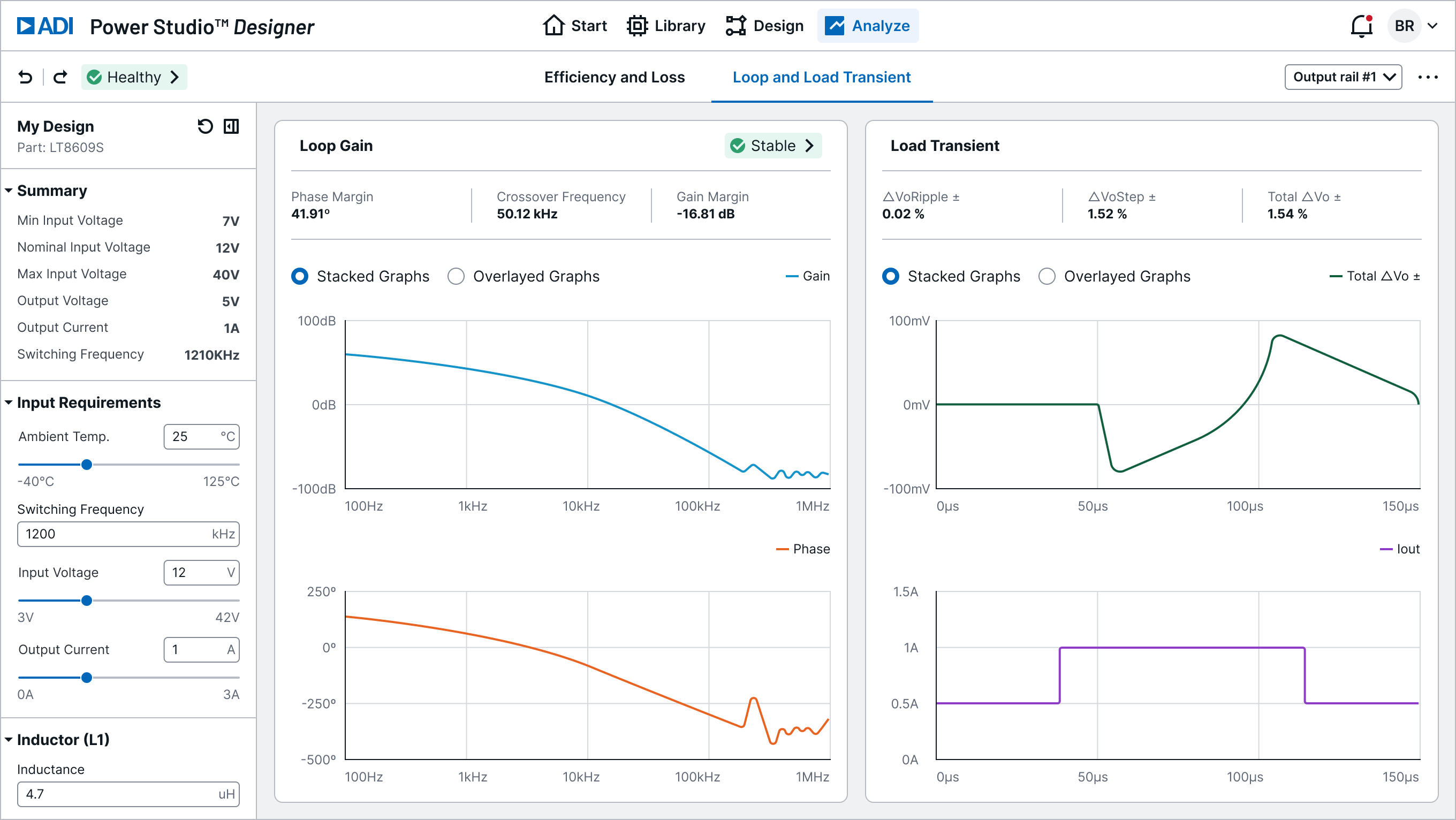
Loop and Load Analysis
Visualize loop gain, phase margin, and load transients to validate stability and response, ensuring designs meet real-world performance needs.
Additional Benefits
- No installation required — runs entirely in the browser
- Expanded IC coverage — more ADI power ICs supported
- Real-time feedback — parameter changes update analysis instantly
- Modern UI — redesigned interface with Harmonic design system
- Export options — LTspice and SIMPLIS export for deeper validation